
Want more reviews?
Reputive automates review collection and AI responses.
Your Google Business profile is the first thing a customer sees when they search for your business. Yet most businesses have it set up incorrectly — or not at all. Getting the profile right is the foundation for collecting reviews and winning new customers.
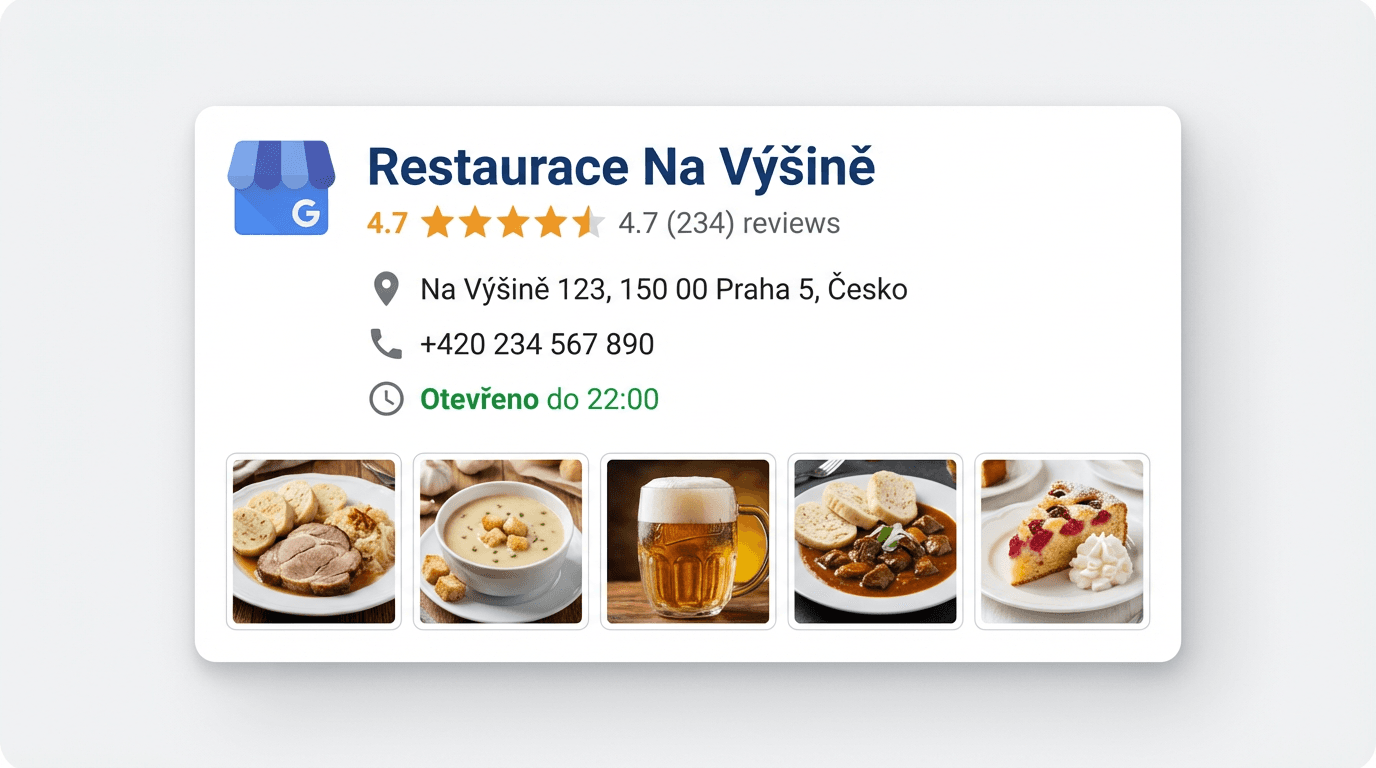 Example of a restaurant Google Business profile with reviews and photos
Why the Profile Matters
When someone searches for "hairdresser nearby" or "auto repair shop Brno," Google displays the Local Pack — a trio of businesses with a map. Who appears there and who does not depends largely on profile quality. A complete, active profile has a significantly higher chance of being shown.
Basic Setup Step by Step
1. Verify Ownership of the Profile
If you have not yet claimed your profile, go to business.google.com and go through the verification process. Google will send you a code by post, phone, or email. Without verification you cannot fully manage the profile.
2. Fill In All the Details
Google favours profiles that are complete. Fill in:
- Business name — exactly as customers know it (do not add keywords to the name; Google penalises this)
- Category — choose the primary category as precisely as possible and add 2–3 secondary categories
- Address — if you have a physical location
- Opening hours — including public holidays and exceptions
- Phone number — a local number is better than a call-centre line
- Website — link to the main page or a landing page
- Business description — 750 characters that naturally describe what you do and who you do it for
3. Add Quality Photos
Profiles with photos receive 42 % more requests for directions and 35 % more website clicks (Google). Add:
- Exterior of the business (so people can recognise it from the street)
- Interior
- Team / staff
- Products or finished work
- Logo and cover photo
Photos should be real, not stock images. Authenticity builds trust.
4. Set Up Services and Products
Google lets you add specific services with descriptions and prices. Use this feature — it helps with search relevance and lets customers see what you offer straight away.
5. Enable the Messaging Feature
Google Business allows customers to send messages directly from your profile. Enable this feature and respond promptly — ideally within a few hours.
Optimising for More Reviews
Direct Review Link
Google provides a short link that takes customers straight to the review submission form. Find it in the "Get more reviews" section of the Google Business dashboard. You can then share this link via SMS, email, or QR code.
Respond to Every Review
Businesses that respond to reviews receive more new ratings on average. Why? Customers see that the business values feedback and feel more motivated to write their own review.
Publish Posts Regularly
Google Business lets you share posts — news, promotions, events. Regular activity signals to Google that the profile is active and improves your ranking.
Kompletní průvodce Google recenzemi — PDF zdarma
55 stran · šablony SMS a e-mailů · 30denní akční plán
Common Mistakes to Avoid
- Keywords in the business name — Google treats this as spam and may suspend the profile
- Outdated opening hours — nothing frustrates a customer more than finding closed doors when Google says "open"
- Ignoring reviews — a profile without responses looks abandoned
- Duplicate profiles — if you have multiple profiles for the same address, merge them
- Wrong category — a category that is too broad reduces search relevance
How Reputive Helps with Your Profile
Reputive connects directly to your Google Business profile. It automatically monitors new reviews, notifies you about them, and helps you respond with AI assistance. It also generates direct review collection links that you can easily share with customers. The whole profile management process becomes much simpler.
Summary
Your Google Business profile is your digital shop window. The better you set it up, the more customers you attract and the easier it is to collect reviews. Give it 30 minutes of your time — it will repay you many times over.
Also read why Google reviews are essential, how to respond to negative reviews, and how reviews affect local SEO. For industry-specific tips: restaurants, auto repair shops, doctors and clinics, beauty salons.
Kompletní průvodce
Google recenzemi
55 stran praktického průvodce pro české podnikatele — jak sbírat, odpovídat a proměnit recenze v zákazníky.
- Jak sbírat 3× více recenzí
- SMS vs e-mail — co funguje
- Šablony odpovědí zdarma
- 30denní akční plán
- Lokální SEO tipy
- Jak se bránit falešným recenzím
Získejte e-book zdarma
Zadejte e-mail a stáhněte PDF okamžitě.
Bez spamu · Odhlášení kdykoliv